Everything You Need to Take
Attendance Effortlessly
From one-tap attendance to QR self check-in, scorecards, and analytics — ClassTrack gives teachers superpowers without the complexity.
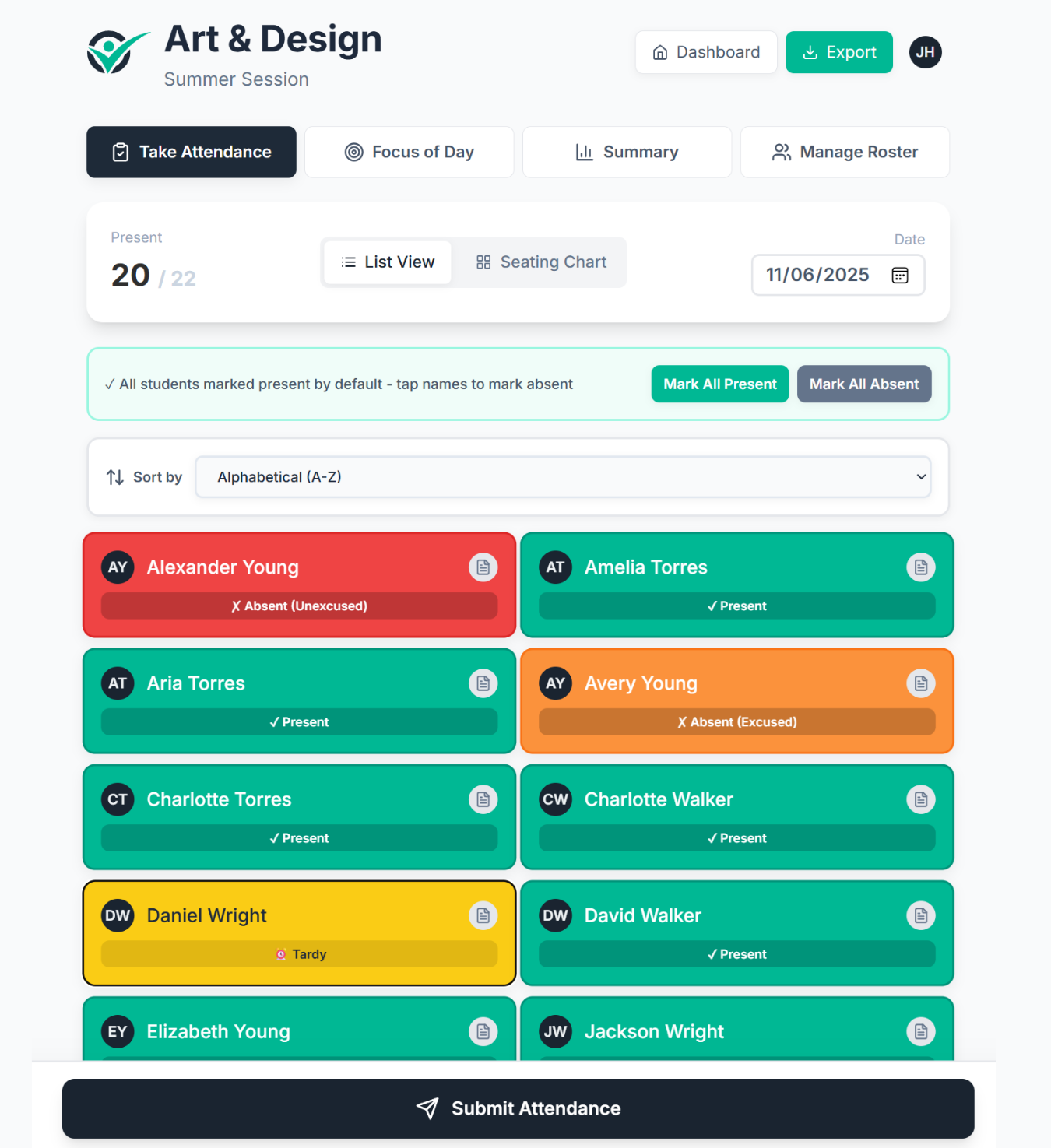
How Does ClassTrack Take Attendance?
ClassTrack uses one-tap attendance marking where every student starts as "present." Teachers tap to mark absences or tardies. Most teachers finish attendance for a class of 30 students in under 60 seconds — saving 10-15 minutes per day compared to paper roll call or spreadsheets.
- Students default to present — tap to mark absent or tardy
- Excused and unexcused options for absences and tardies
- Add attendance notes per student per session
- Works on phone, tablet, or desktop — any browser
Dashboard & Class Management
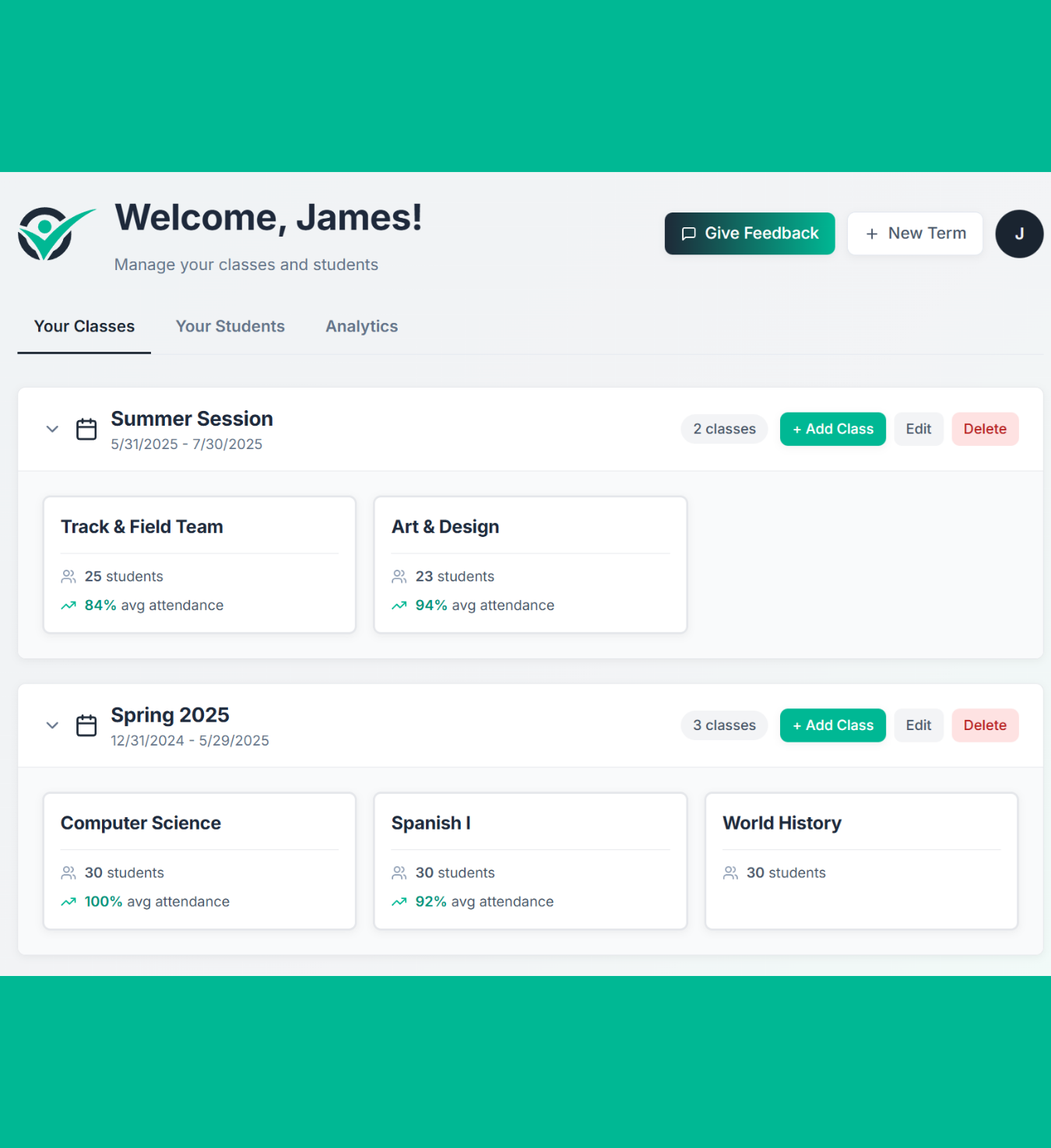
See everything at a glance. Organize your terms, classes, and students with a dashboard that stays out of your way.
- Daily overview of all your classes and attendance
- Organize by terms with flexible scheduling
- Student profiles with contact info, grades, and programs
- Class Notes — track your "Focus of the Day"
- 14-day history on free, unlimited with Pro
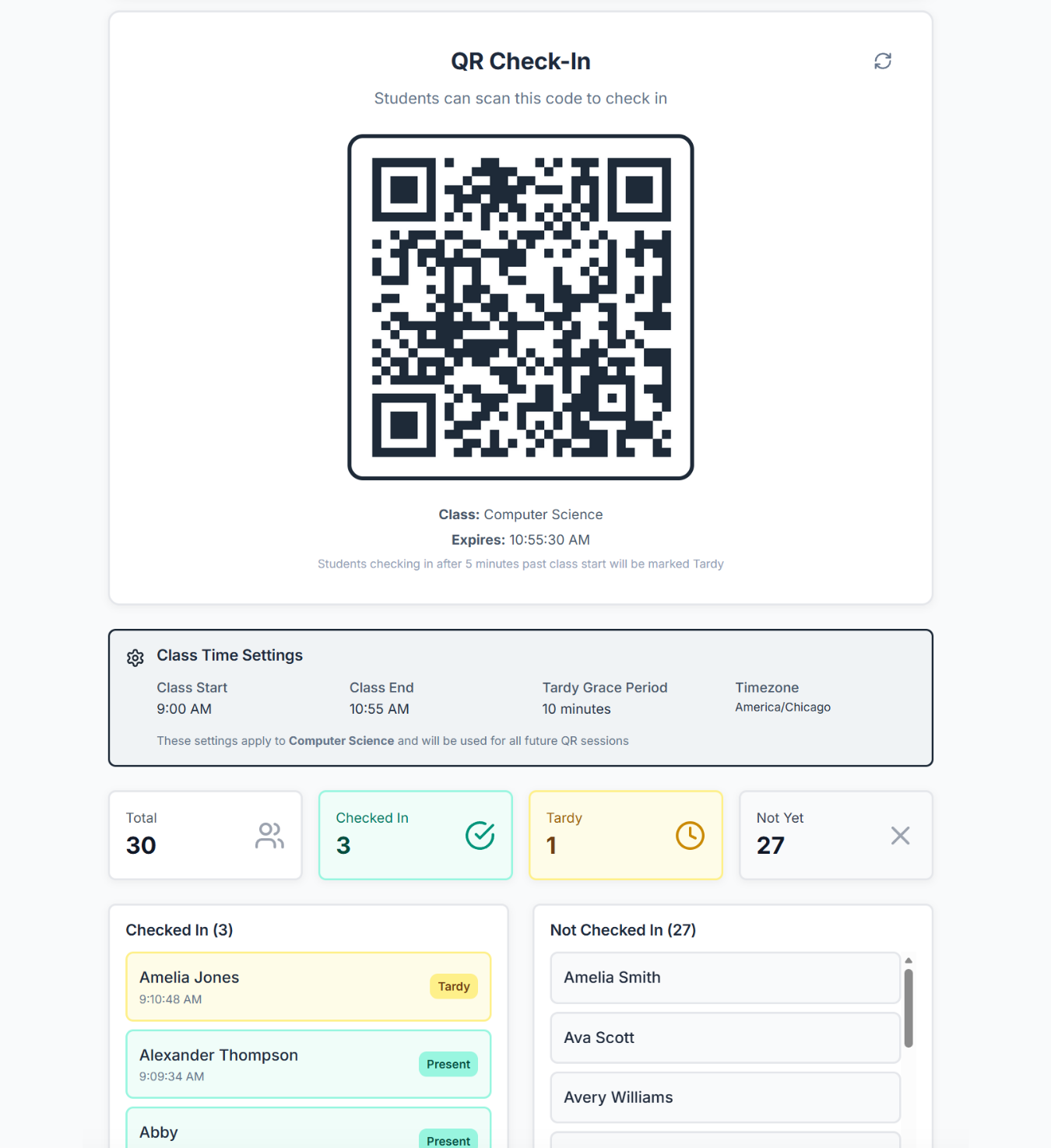
How Does QR Code Attendance Work?
Generate a time-boxed QR code. Students scan with their phones to check themselves in. ClassTrack handles the rest — no app download required.
- Time-boxed QR codes with configurable check-in windows
- Automatic present vs. tardy logic based on class schedule
- Real-time check-in tracking — see students arrive live
- Timestamps on every scan for accountability
- Configurable grace periods and early check-in windows
How It Works
1. Start a QR session
2. Students scan the code
3. Attendance marked automatically
Attendance Scorecards
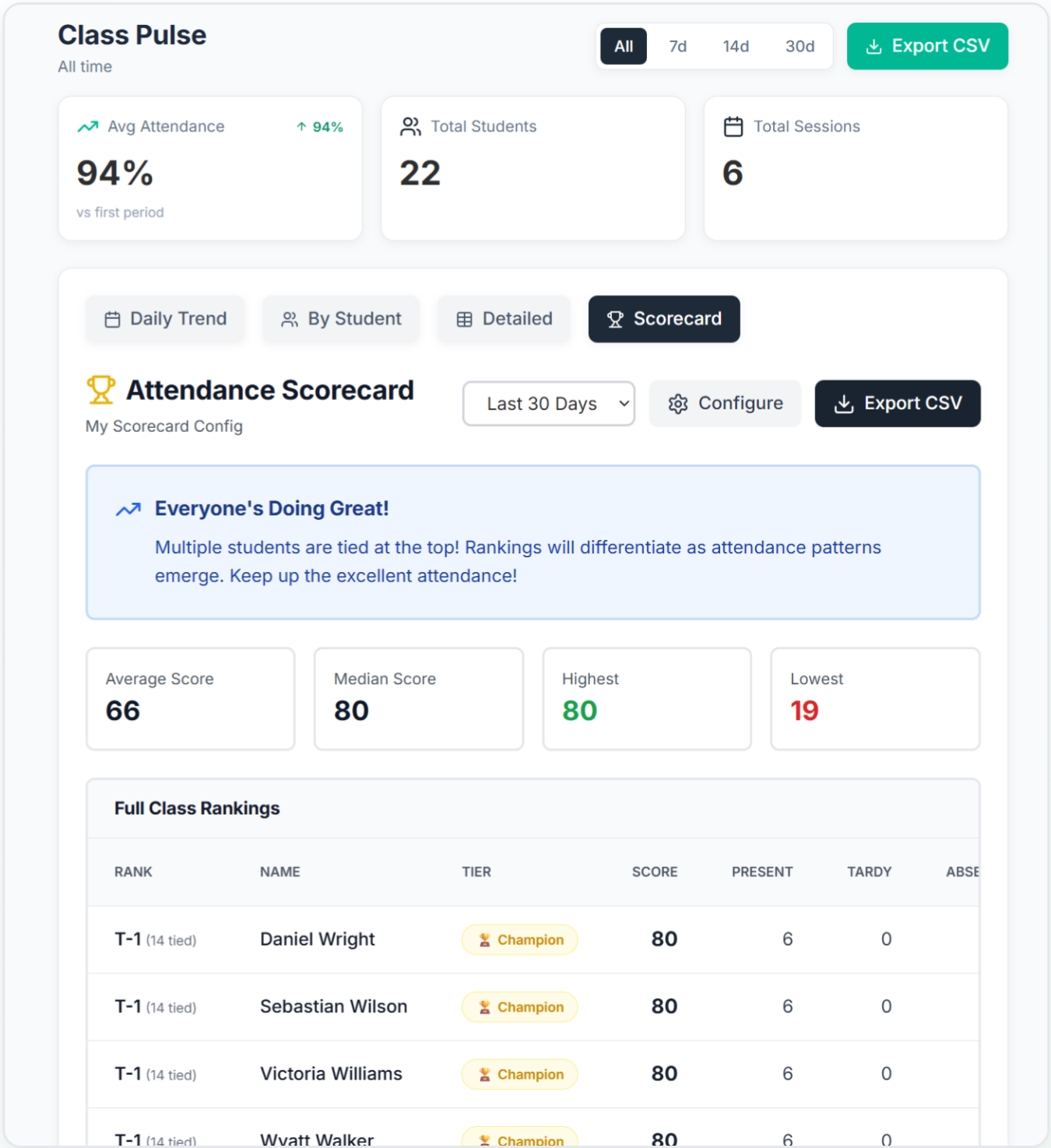
Turn attendance into engagement. Points, streaks, and tier badges give students something to work toward — and give you instant visibility.
- Customizable point systems (present, absent, tardy weights)
- Tier badges: Champion, Star, Solid, Growing
- Percentile rankings across the class
- Podium view for top performers
- Export scorecard data to CSV for admin or department heads
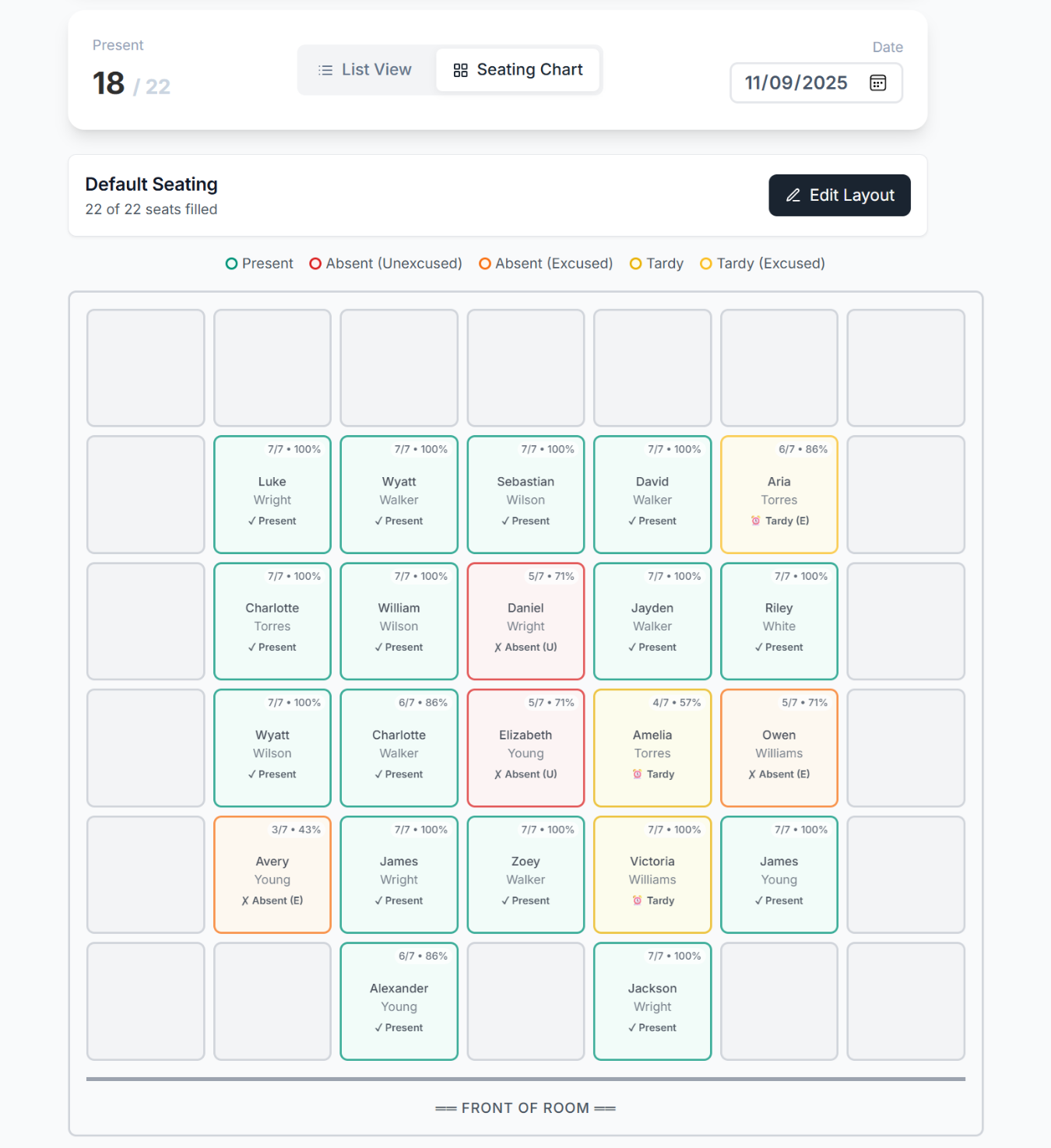
Seating Chart View
Visualize your classroom. Drag and drop students into seats, then take attendance right from the chart — see who's missing at a glance.
- Drag-and-drop seat assignment
- Visual attendance overlay — see absences and tardies by seat
- Customizable grid layouts to match your room
- Take attendance directly from the chart view
Powerful Analytics & Data Tools
See the full picture. Export what you need. Make data-driven decisions about student engagement.
Advanced Analytics
Heatmaps, attendance trends, at-risk indicators, and consistency scoring — all in one view.
- Daily attendance heatmaps
- Student attendance trends (7/14/30/90 day)
- At-risk student indicators
- Consecutive attendance streaks
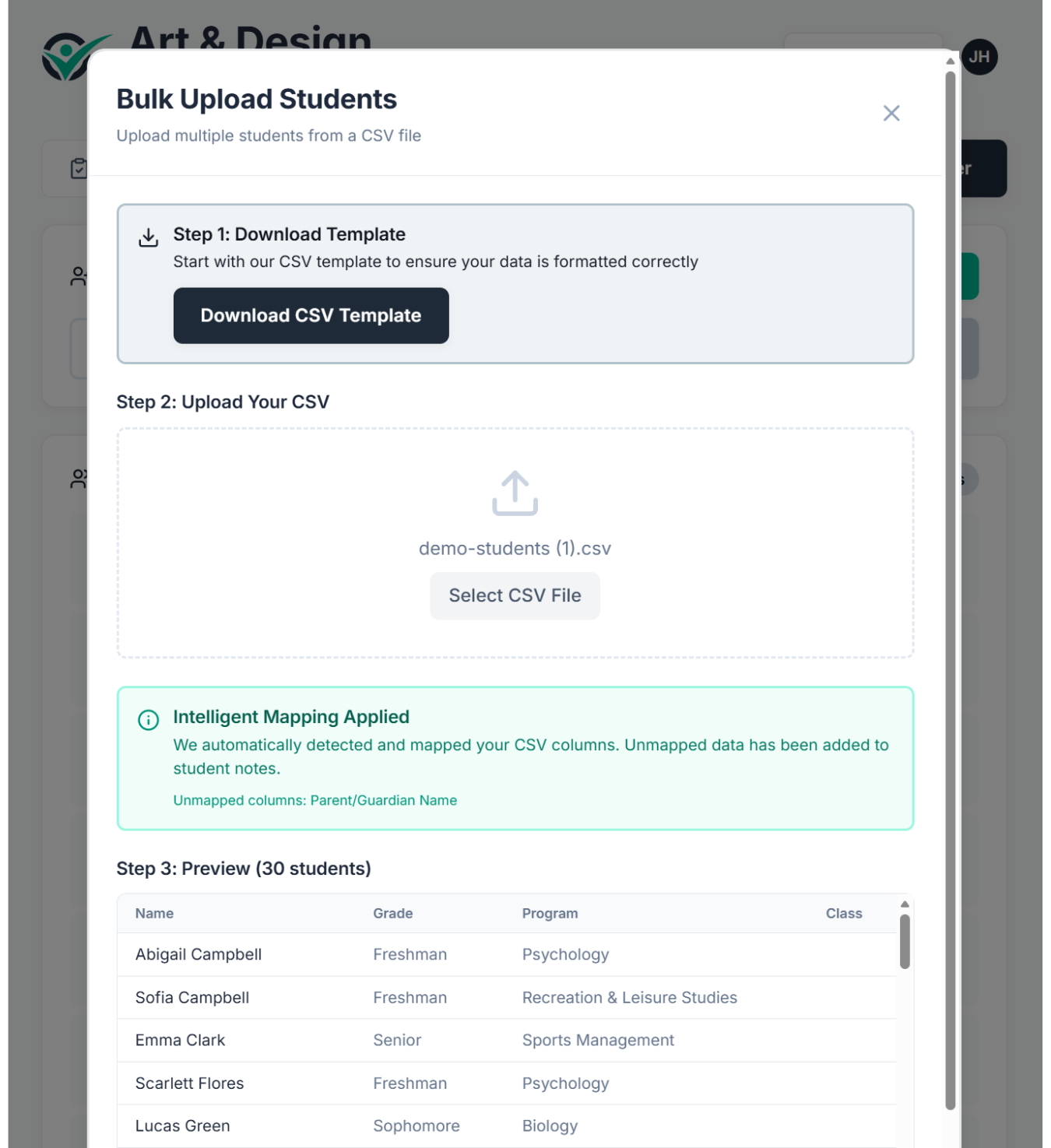
Bulk Roster Upload
Upload a CSV and your entire class roster is ready in seconds. Intelligent column mapping does the heavy lifting.
Exports That Matter
Full history, scorecards, summaries — ready for department chairs, admin, or your own records.
- Attendance summary (daily grid with scores)
- Detailed history with notes
- Scorecard exports with ranks and tiers
- CSV format — opens in Excel, Sheets, or Numbers
Free vs. Pro at a Glance
Start free, upgrade when you're ready. No trials, no time limits.
| Feature | Starter | Teacher Pro |
|---|---|---|
| Fast Tap Attendance | ||
| Student Profiles | ||
| Attendance Notes | ||
| Class Notes | ||
| Dashboard | ||
| Classes | 1 class | Unlimited |
| History | 14 days | Unlimited |
| QR Code Check-In | ||
| Attendance Scorecards | ||
| Seating Charts | ||
| Advanced Analytics | ||
| Bulk Roster Upload | ||
| CSV Exports | ||
| Priority Support |
Ready to Save Hours Every Week?
Join teachers who've simplified their attendance workflow. Set up your first class in under 60 seconds.
Free forever. No credit card required.